Session Details
This page shows all the details for a Session while the participant was in this Scene.
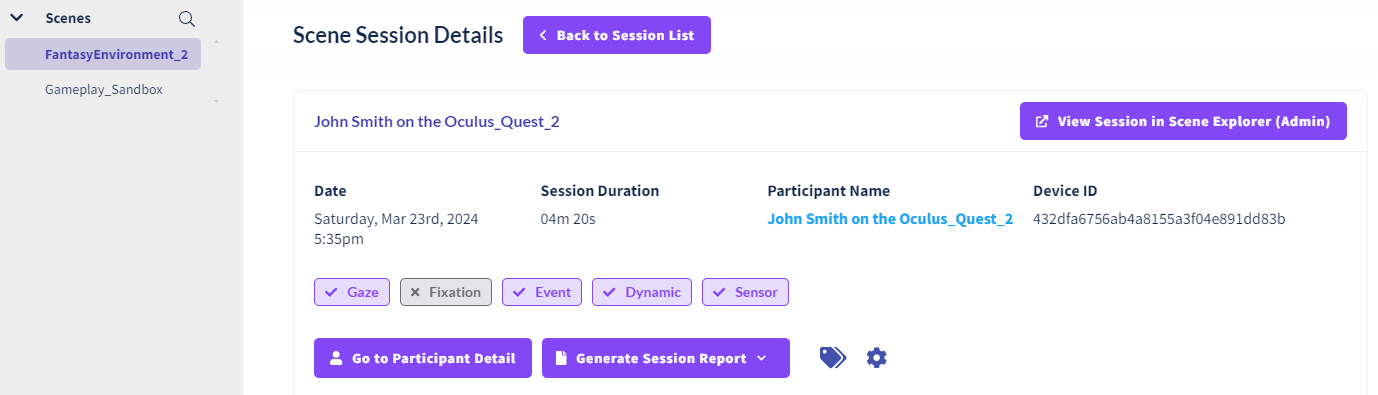
Session Metadata
Session metadata, such as the name and date of the session and the duration, is displayed at the top. Additional metadata like Tags are displayed here. Functions like opening Participant Details, generating a Session Report, and viewing the session in Session Replay also exist here.
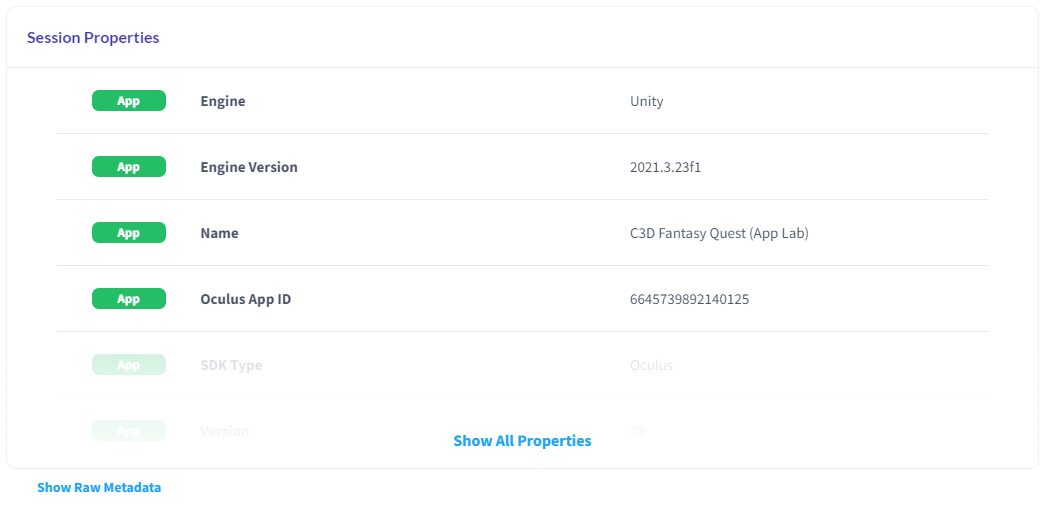
Session Properties
Most Session Properties are automatically generated by the SDK. Custom Session Properties set by your application are also listed here.
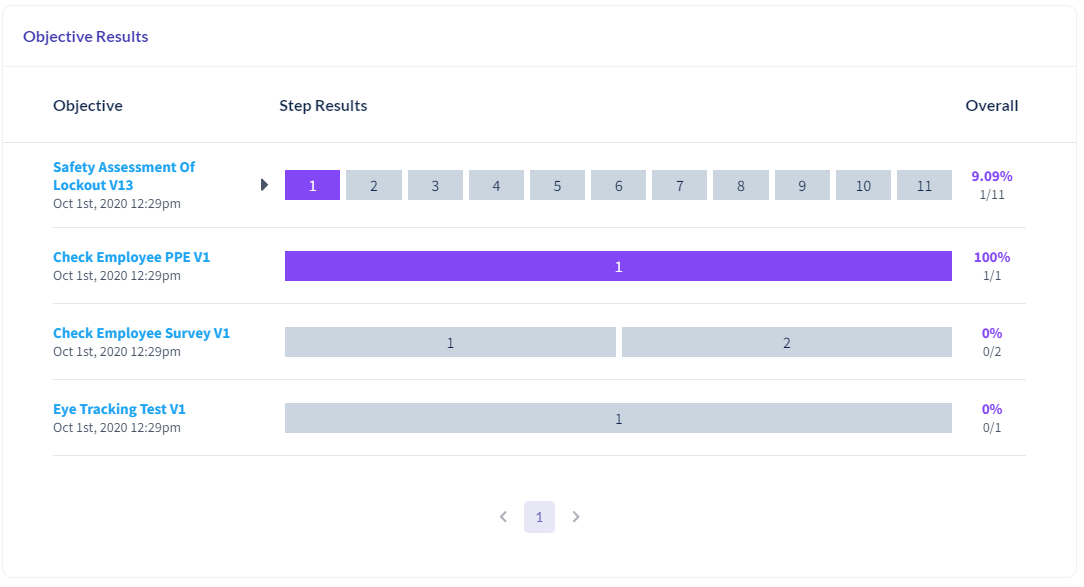
Objective Results
Objective Results are a list of all the objectives evaluated during this session and the results.
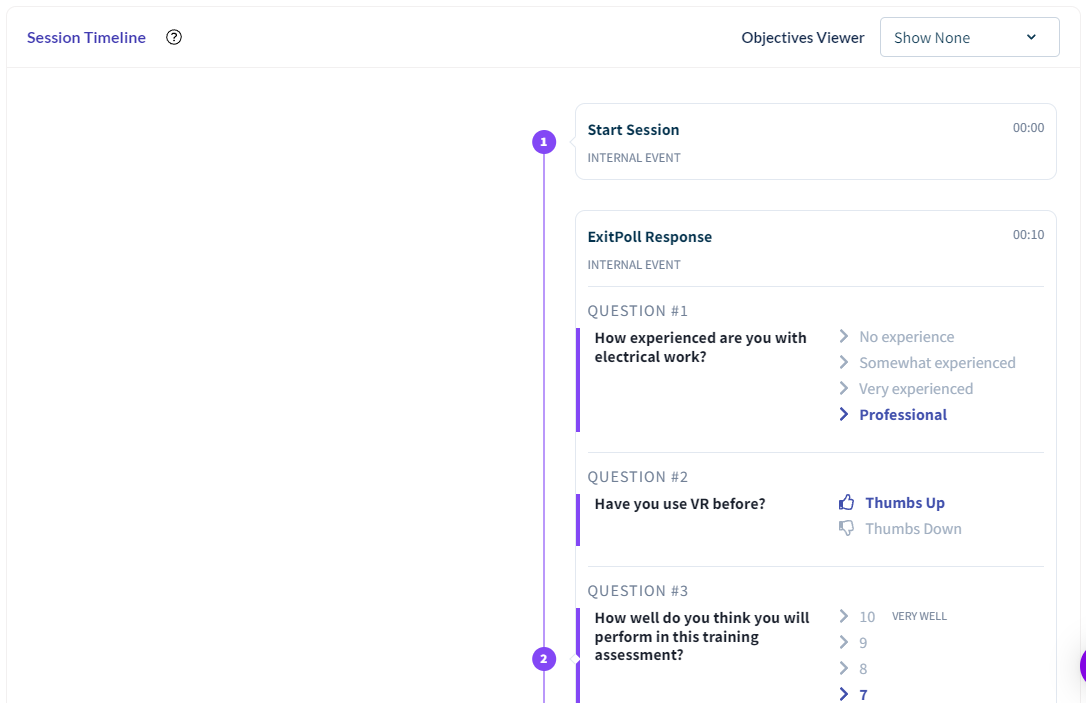
Session Timeline
The Session Timeline shows every Event recorded during the session. Common Events recorded automatically by the Cognitive3D SDK are included on the right side. Your application's Custom Events will be recorded on the left.
Use Event Types to filter the timeline to show important moments.
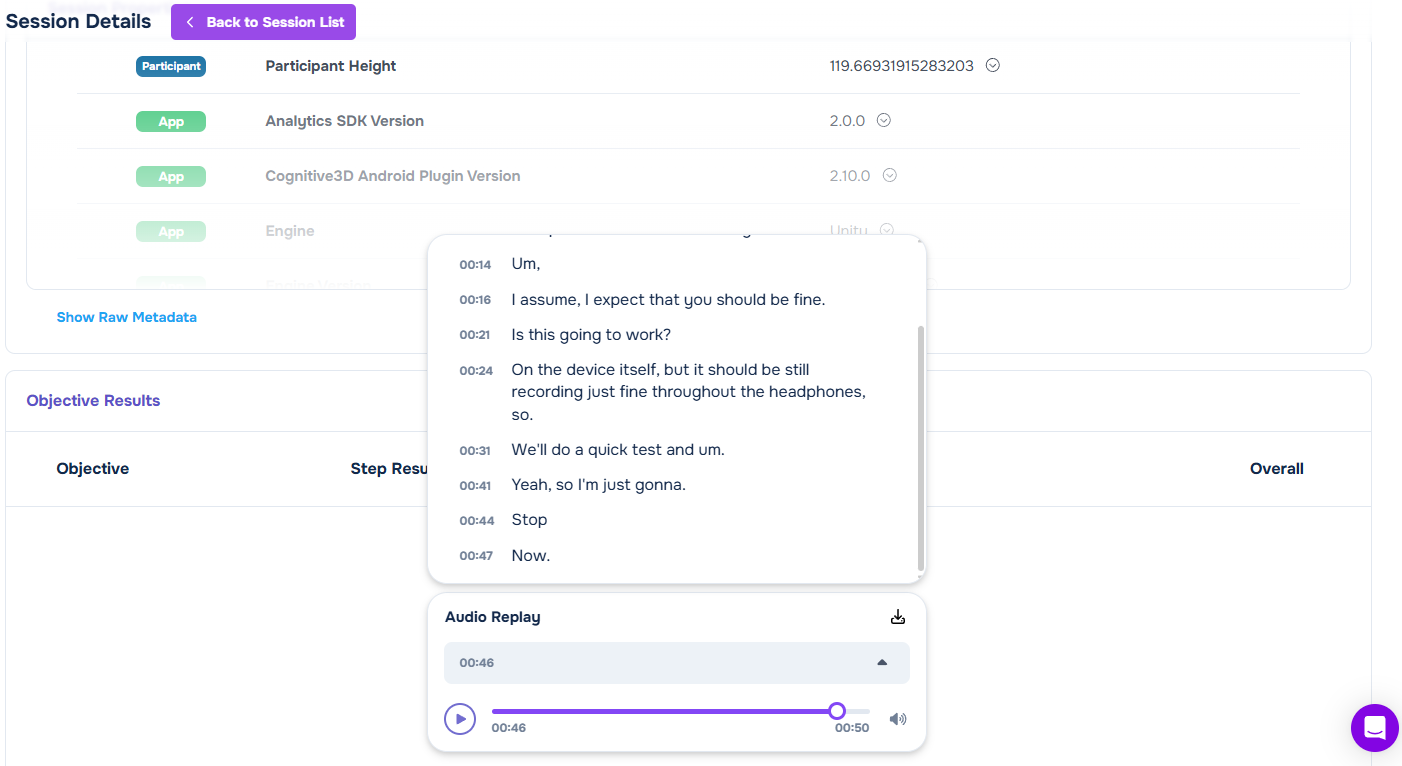
Session Audio
For projects that have Audio Recording enabled, and have enabled the Audio Recording component in the SDK, the Audio Replay widget appears. You can replay the session audio and view a generated transcript.
Click a timestamp in the transcript to move the Session Timeline to that moment in the recording.
Note
Contact support to turn on the Audio Recording feature for a project. If the Audio Recording component is enabled in the SDK but Audio Recording is not enabled for your project on the platform, the audio from the session will be sent but discarded. This is to protect participants' privacy.
 If you have a question or any feedback about our documentation please use the Intercom button (purple circle) in the lower right corner of any web page or join our Discord.