Overview
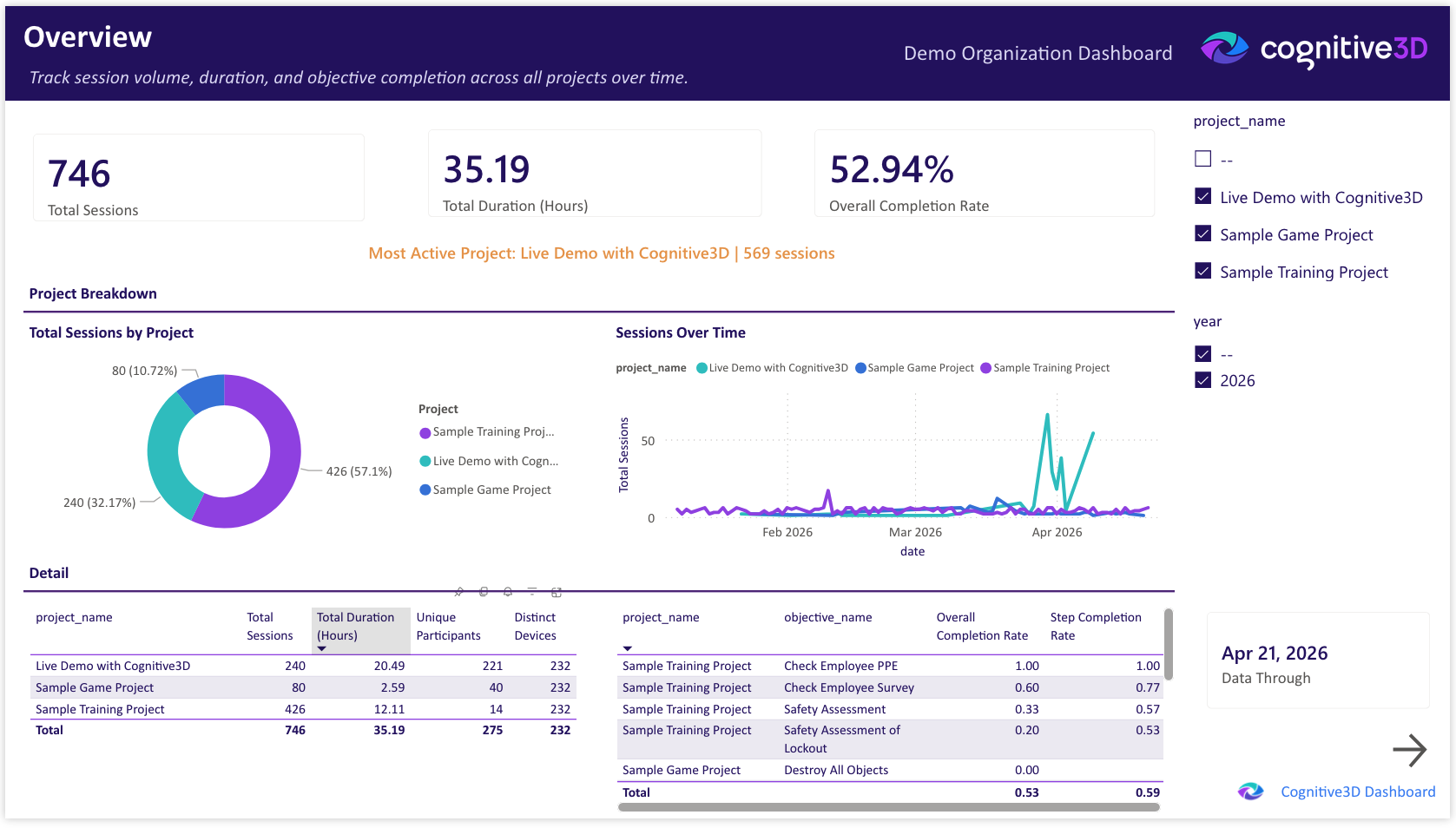
The Overview page is the entry point to the Organizational Dashboard. It summarizes session volume, project activity, and overall completion rates across your organization. Use it as the starting point for any review before drilling into more focused pages.
The project and year slicers in the right column apply to all visuals on the page.
Total Sessions
The total number of Cognitive3D sessions captured across the selected projects and time range. A session is one continuous engagement with a Cognitive3D-instrumented experience.
Total Duration (Hours)
The cumulative time participants have spent in instrumented experiences across the selected projects and time range, expressed in hours.
Overall Completion Rate
The proportion of sessions that completed all assigned objectives, expressed as a percentage. A higher value indicates that more participants are reaching the success conditions defined in your projects.
Most Active Project
The project with the highest session volume in the selected time range. Useful for identifying which experience is driving most of the activity across your portfolio.
Data Through
The most recent session date represented in the dashboard. Reflects the last successful pipeline refresh from Cognitive3D, not the time the report was opened.
Project Summary
A table breaking down session count and duration per project. Sortable by either dimension.
Total Sessions by Project
A donut chart showing the share of total sessions attributed to each project. Useful for understanding whether session volume is concentrated in one or two experiences or evenly distributed across the portfolio.
Sessions Over Time
A line chart of session counts over the selected date range. Trends and inflection points indicate changes in audience activity.
Objective Performance by Project
A table of objective completion rates per project. Combined with the Objectives and Survey page, this view helps surface projects where participants are not reaching success conditions.
 If you have a question or any feedback about our documentation please use the Intercom button (purple circle) in the lower right corner of any web page or join our Discord.